> For the complete documentation index, see [llms.txt](https://docs.optibase.io/llms.txt). Markdown versions of documentation pages are available by appending `.md` to page URLs; this page is available as [Markdown](https://docs.optibase.io/features/tests/connect-conversions-to-a-test.md).
# Connect Conversions to a Test
Connecting conversions to your test is essential for measuring performance. It tells Optibase what success looks like, so you can compare variants and identify which one drives the most meaningful actions.
### How to connect conversions
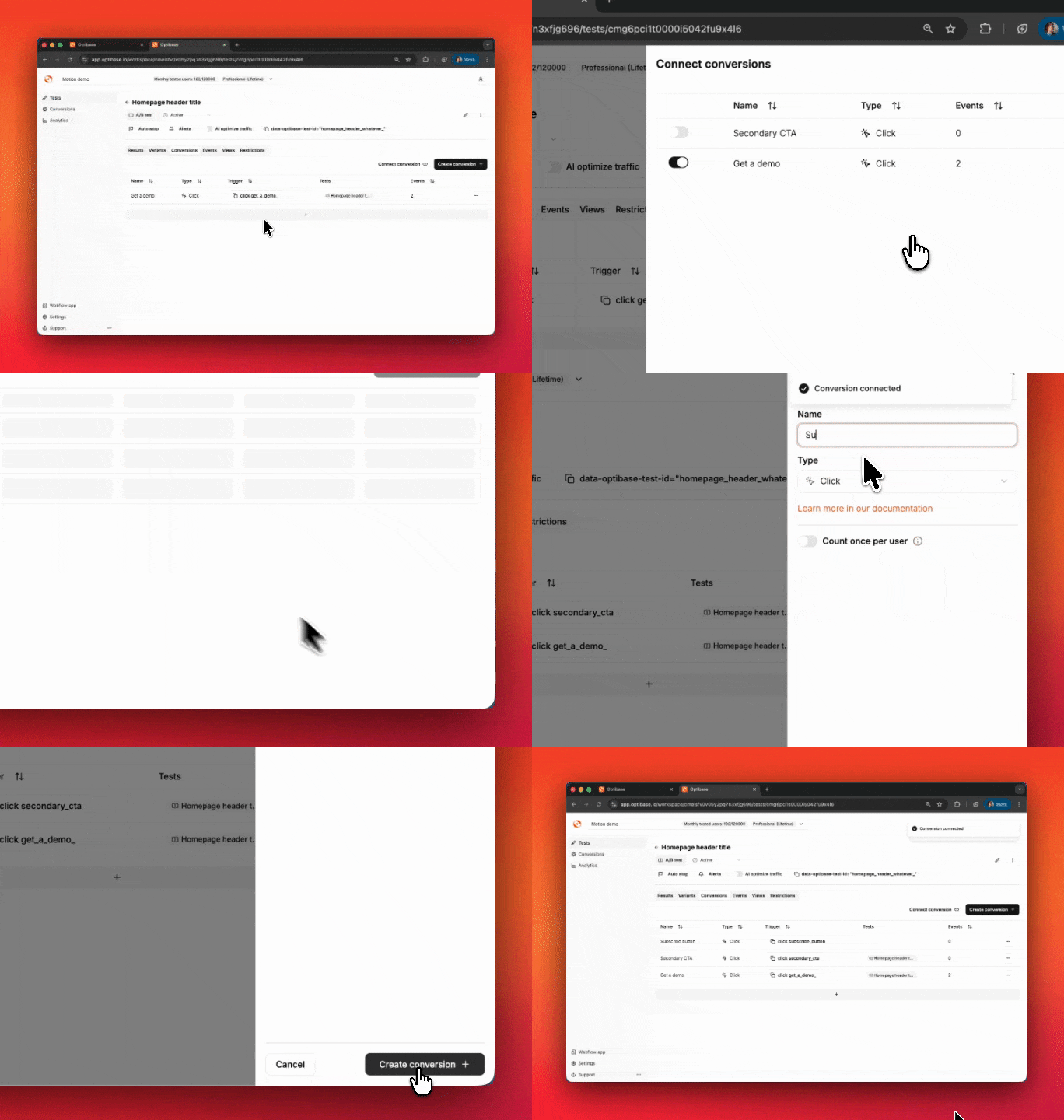
1. Open the Test
Go to the Tests page and select the test you want to connect conversions to.
2. Go to the Conversions tab
Inside the test view, click the Conversions tab in the top navigation.
3. Select or create a conversion
* If you’ve already created a conversion, use the dropdown to select it
* If you don’t have one yet, click Create Conversion to define a new one
4. Bind the conversion to the test
Once selected, the conversion will be linked automatically to the test. Optibase will start tracking how each variant performs against this goal.
***
### Additional notes
* You can connect multiple conversions to a single test
* One conversion will be used as the primary metric in your test results
* Make sure all conversion events are set up and working on your site before linking them
***
### Why it matters
By linking conversions to a test, you’ll unlock:
* Variant performance tracking
* Conversion rates per variant
* P2BB (Probability to Be Best) analysis
* A clear view of which variant wins
All of this will show up in the Results tab for the test once it’s running.